New Release · Terminal Portal & Android App

Your Trading. One Connected Experience.

Meet the CornGrid Trading Terminal and Android App. Stay connected to your trading activity, explore live market information, and access the CornGrid community — through one unified platform.

No installation — runs in your browser
Android APK available
Live markets & community feed
corngrid.com • Trading Terminal
  corngrid.com/dashboard
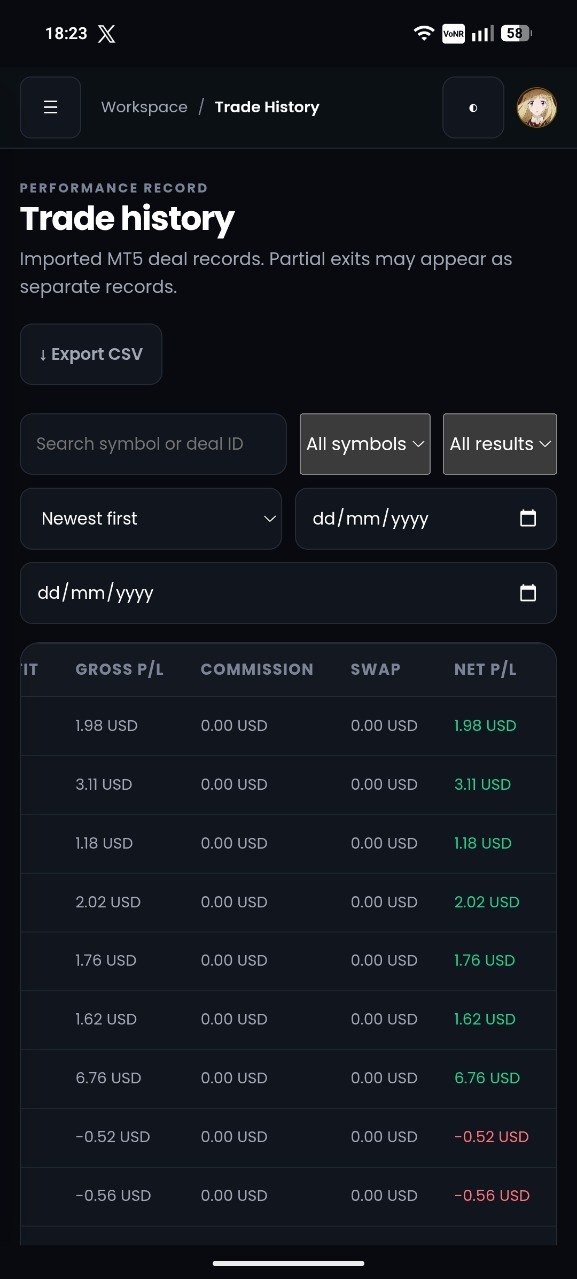
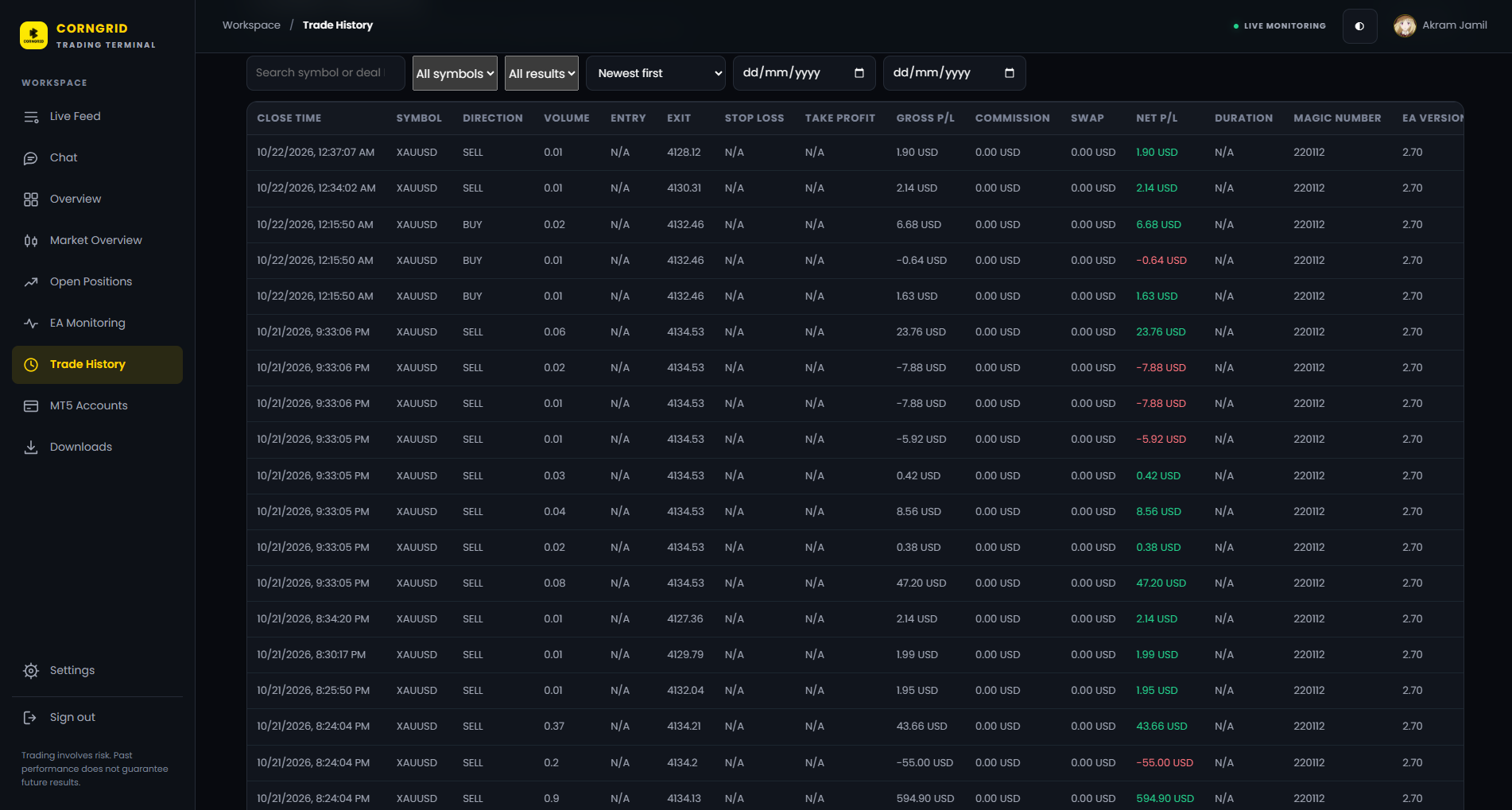
CornGrid Trading Terminal Portal — trade history table of imported MT5 deals with net profit per trade
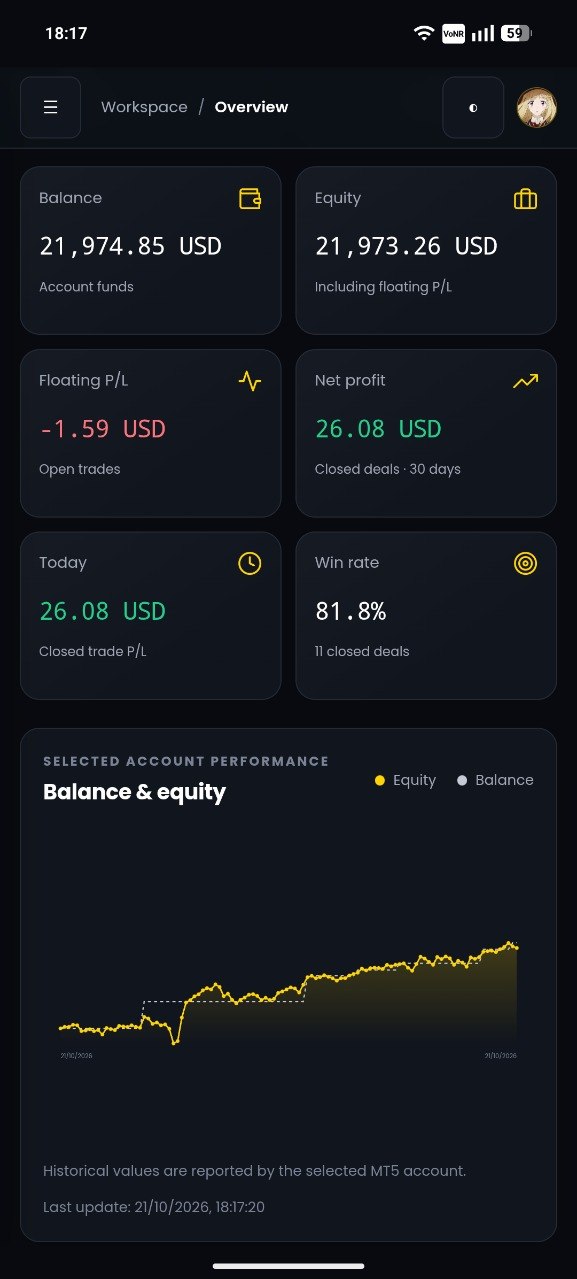
CornGrid Android App — account overview with balance, equity and floating profit
Live Market FeedReal-time price action
EA ConnectedAccount status online

CornGrid Trading Terminal Portal and Android App — actual product screenshots.
Trading Terminal Portal

Your Trading Terminal, Connected.

Access the CornGrid Trading Terminal Portal from any supported web browser — no installation required. Sign in to your CornGrid account to view your connected MT5 environment.

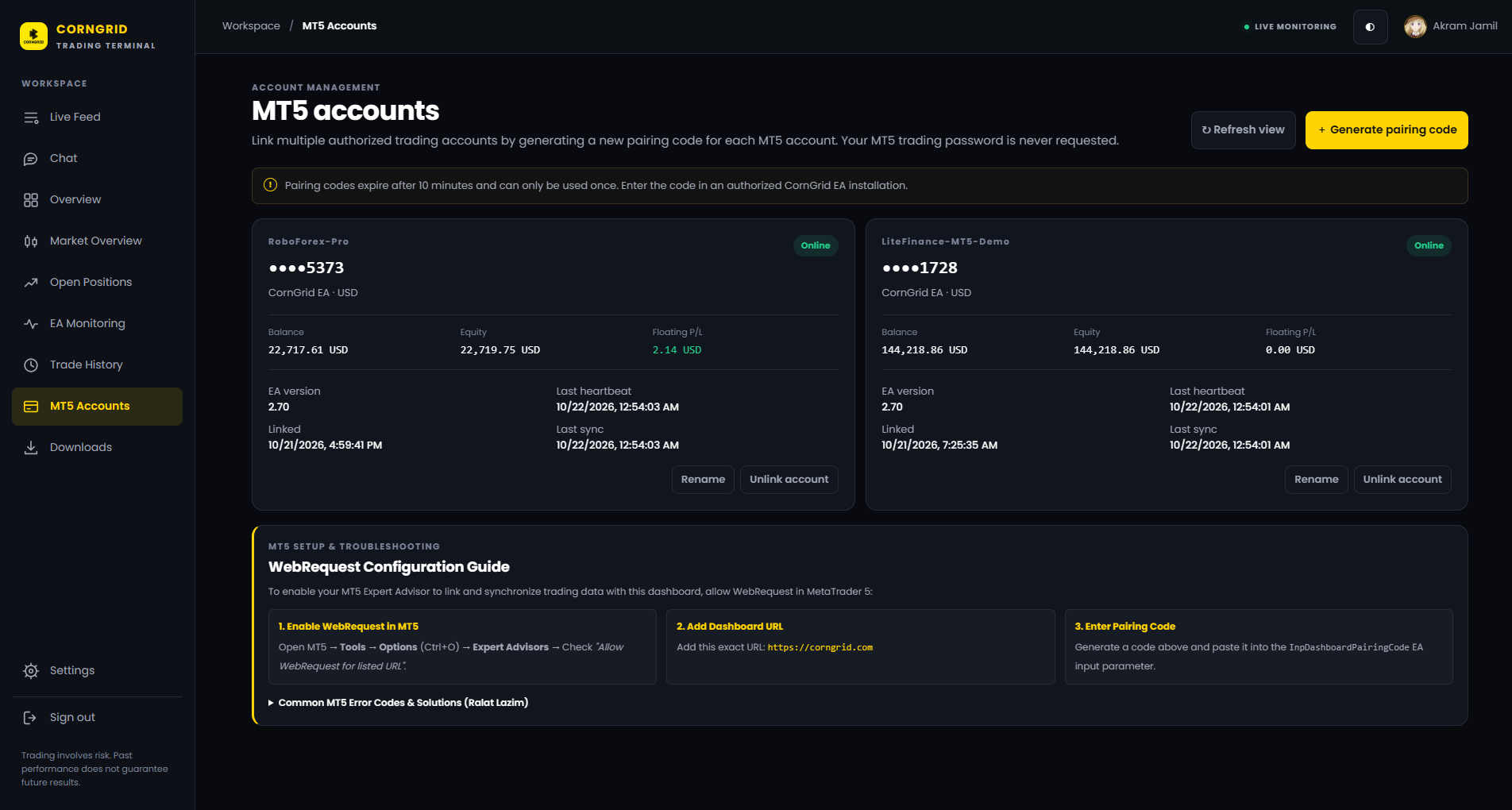
Connect your CornGrid EA

Pair your MetaTrader 5 installation with the portal using a single-use connection code. Once linked, your EA heartbeat keeps your account status online in the terminal.

  • Connect CornGrid EA using a connection code
  • View live market feeds and market overview
  • Monitor connected trading accounts
  • View open trading positions and trading history
  • Participate in live feed discussions and chat
  • Access from any supported web browser
Open Trading Terminal
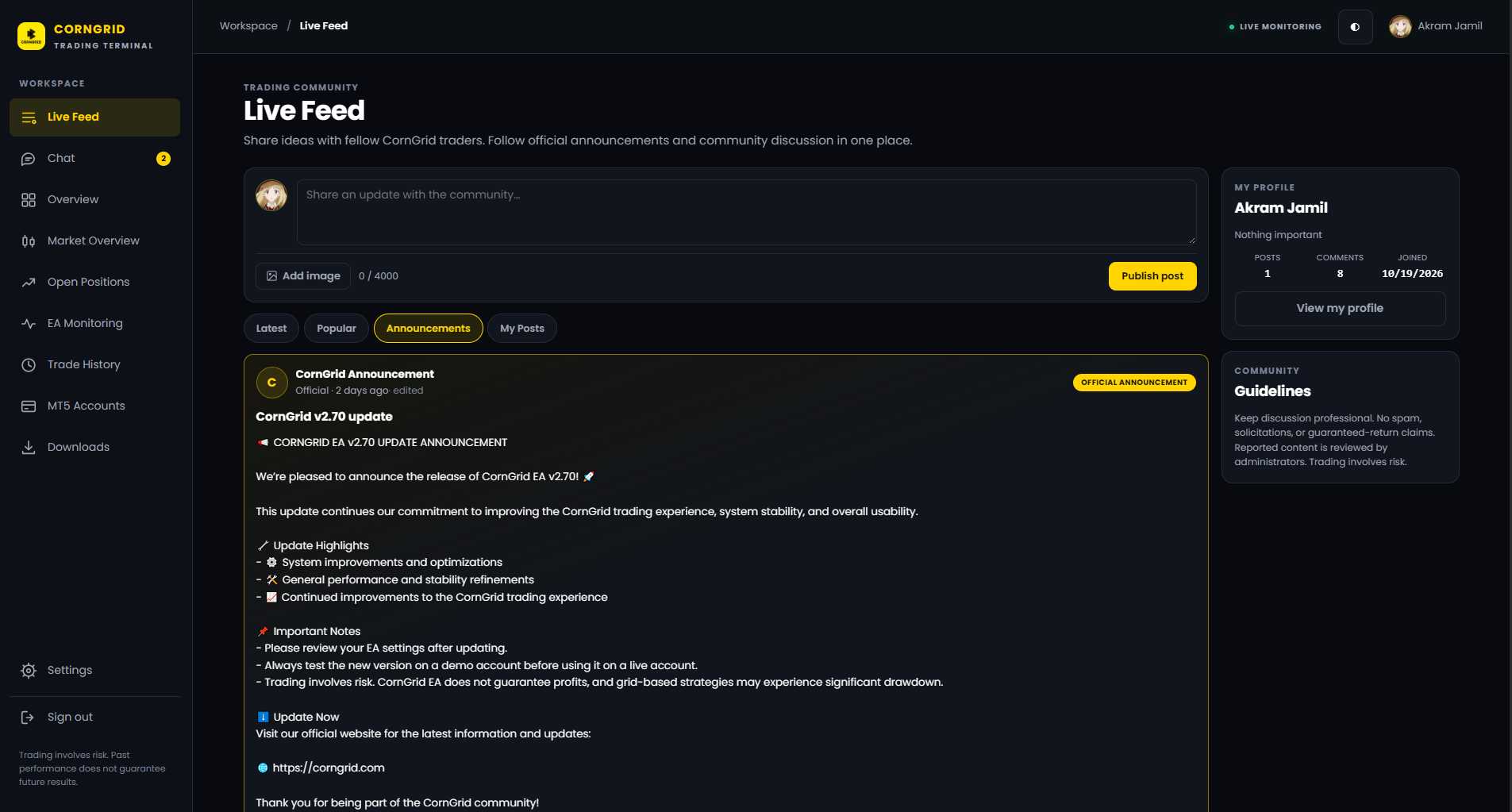
CornGrid Trading Terminal Portal — live feed with official CornGrid announcements and community posts
Live feed & official announcements
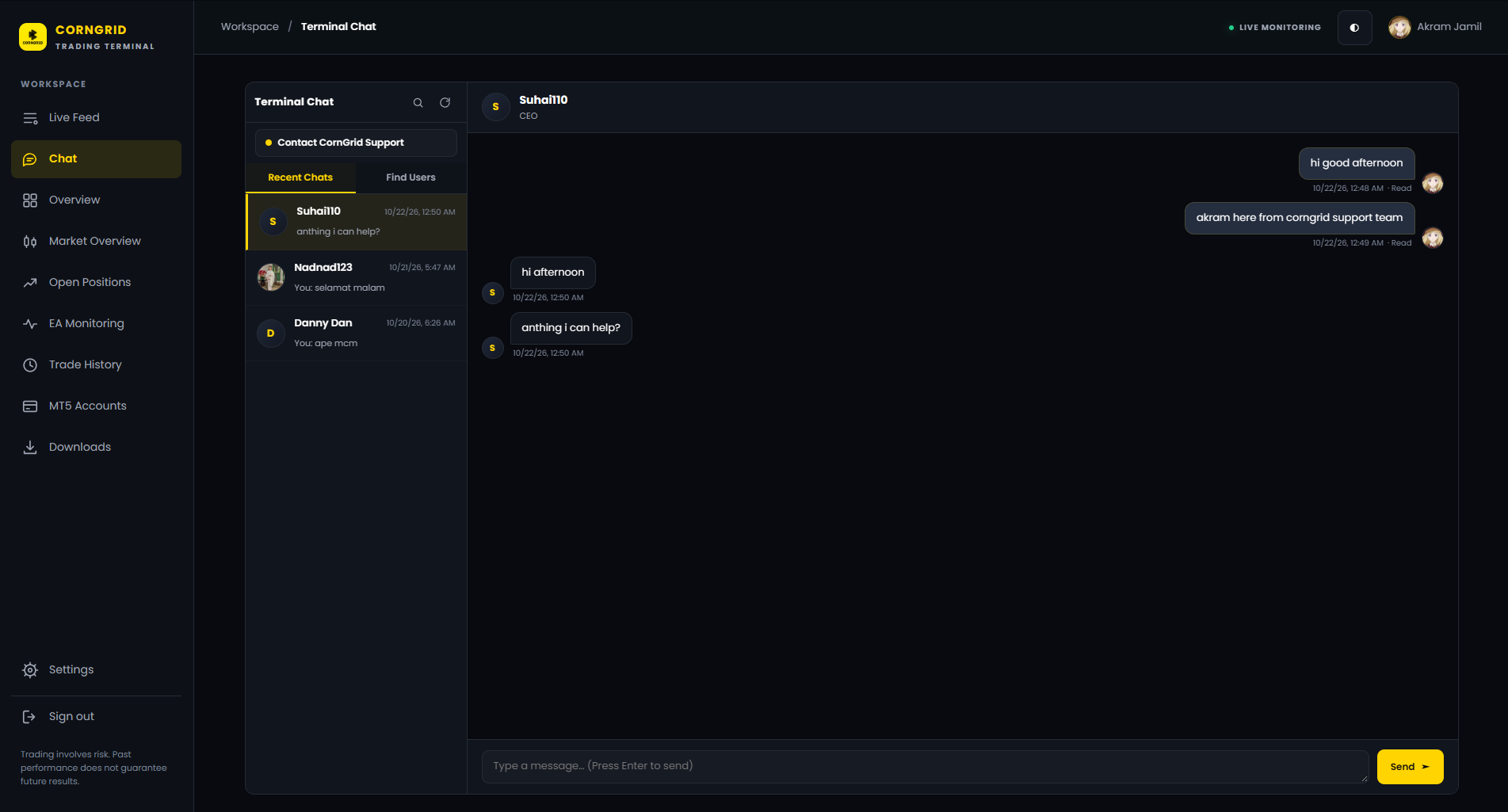
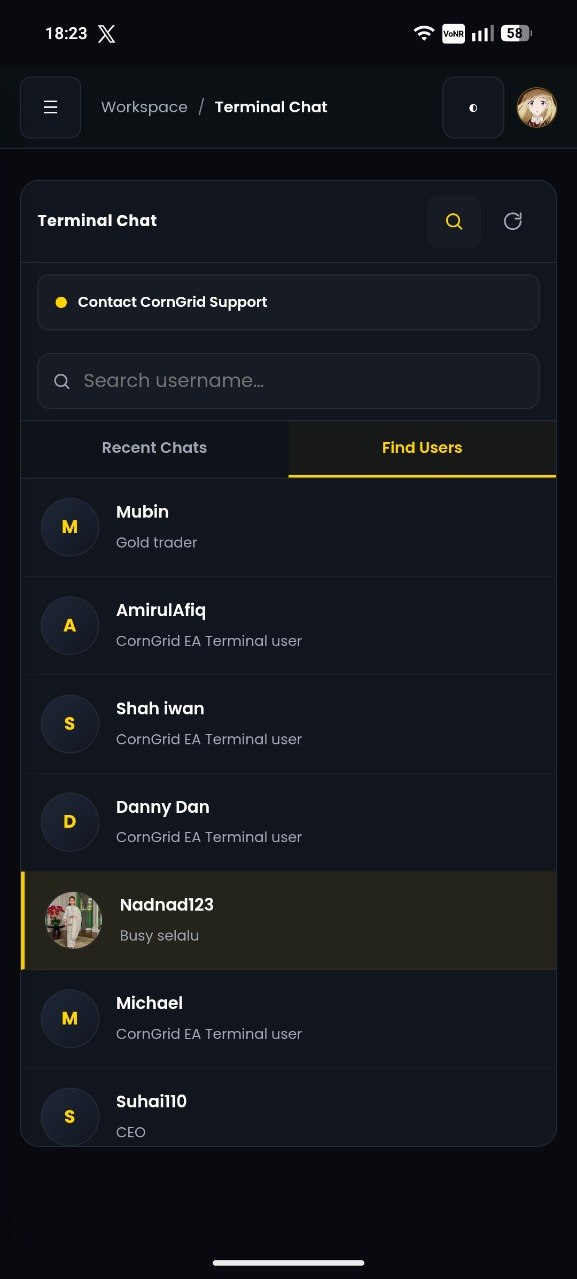
CornGrid Trading Terminal Portal — Terminal Chat with CornGrid support and other traders
Terminal chat with support
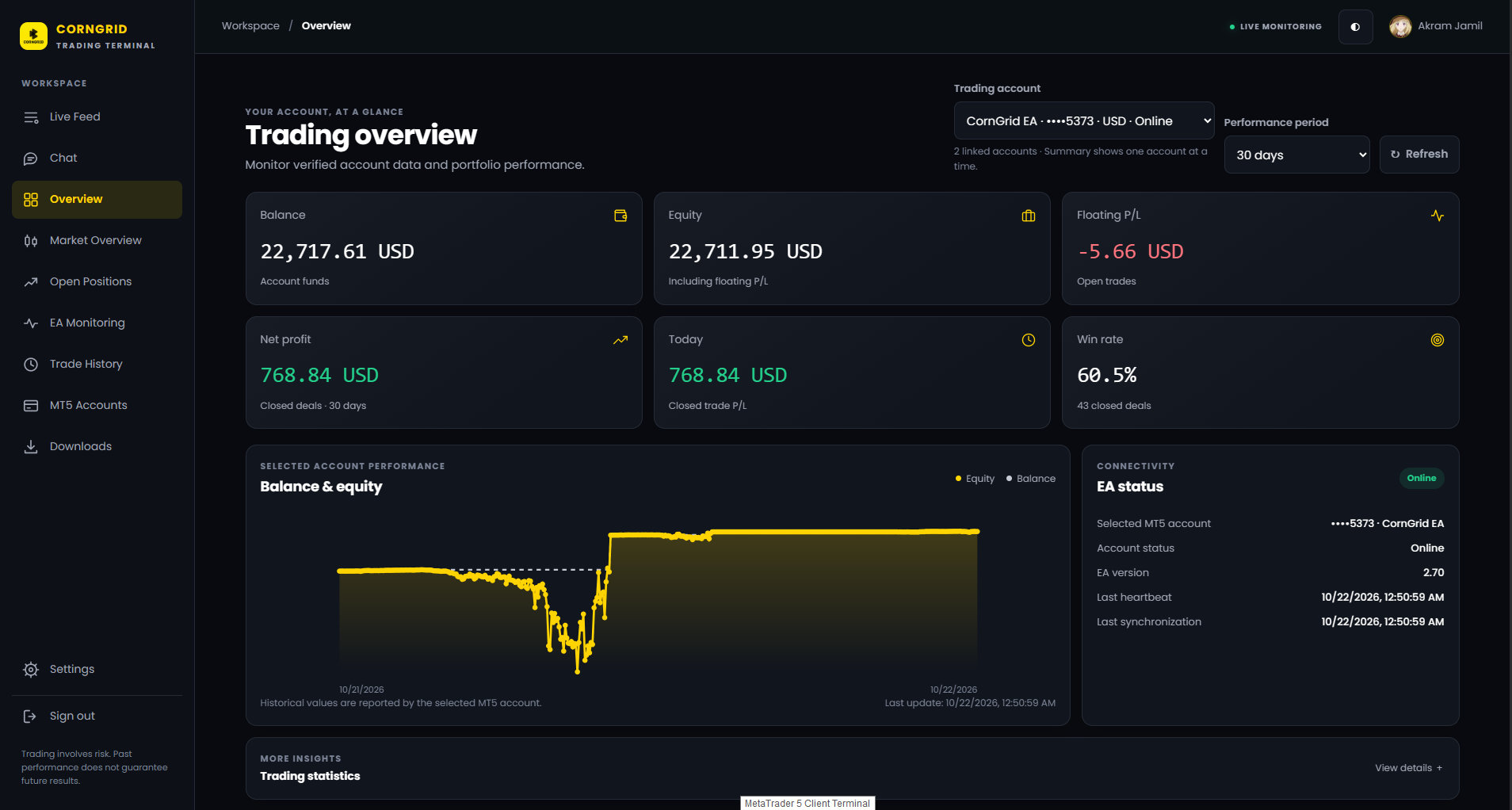
CornGrid Trading Terminal Portal — trading overview with balance, equity, net profit and win rate
Trading overview & performance
CornGrid Android App

Your Trading Dashboard. In Your Pocket.

Stay connected to your CornGrid trading environment wherever you go. The Android App wraps the live CornGrid platform in a native Android shell — same accounts, same markets, same community, in your hand.

CornGrid Android App — account overview with balance, equity, floating P/L and win rate
Account overview
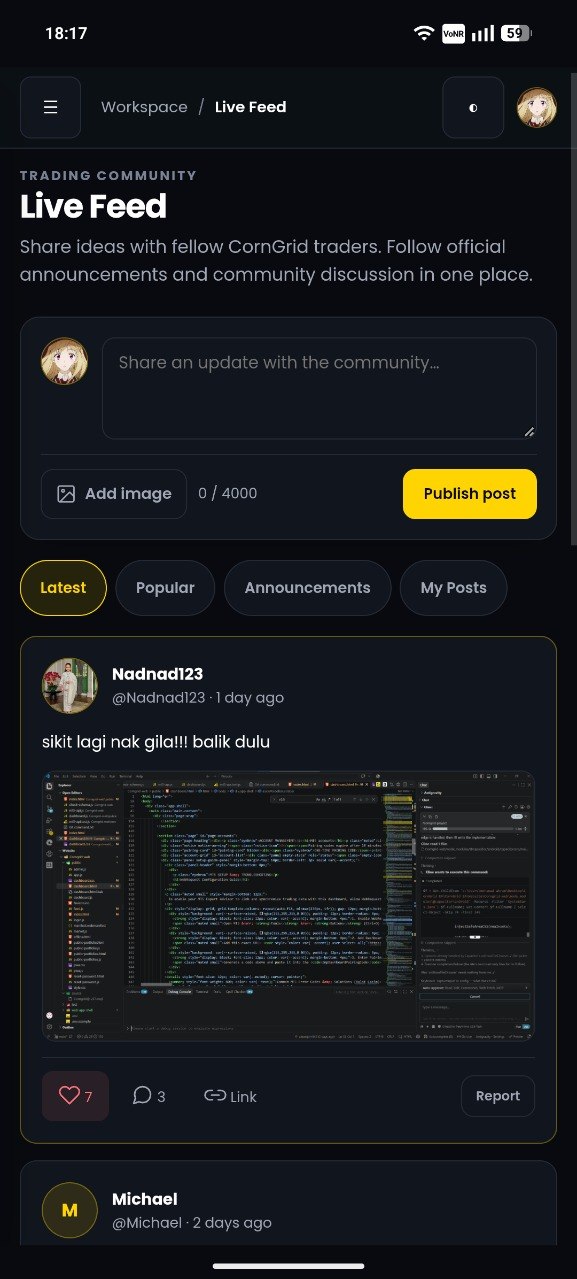
CornGrid Android App — live community feed with official announcements
Live feed & community
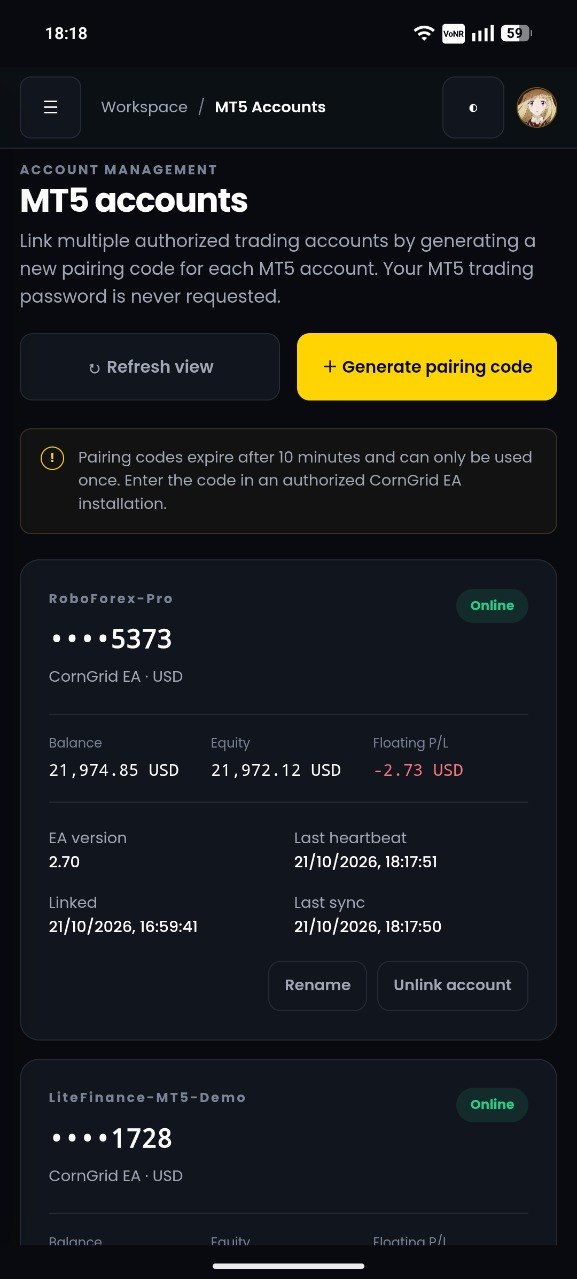
CornGrid Android App — MT5 accounts with pairing code and linked CornGrid EA installations
MT5 account linking

Trade on Android

Access the CornGrid platform from your Android phone or tablet.

Market updates

Follow live market feeds and market overview on the go.

Account information

Check connected trading account details from your device.

Positions & history

View open positions and trading history anytime.

Community chat

Join live feed discussions and community updates.

Beta release: The Android app is currently distributed as an APK and is not yet available through the Google Play Store. Download and install only if you trust the source.
CornGrid Ecosystem

Built for Connected Trading

Everything you need to stay in control of your CornGrid trading environment.

Connected Trading

Link your CornGrid EA to the terminal portal using a connection code.

Live Market Overview

Explore market information and live activity available through the platform.

Account Monitoring

Review available account details, open positions, and trading history.

Live Feed & Community

Stay connected through discussions, comments, and live feed updates.

Cross-Platform Access

Access the terminal through a supported browser and the Android app.

Secure Account Access

Register and sign in to your CornGrid account to access the terminal and app.

Product Gallery

See It in Action

Real screenshots from the CornGrid Trading Terminal Portal and Android App, shown at their original proportions.

Trading Terminal Portal — Desktop

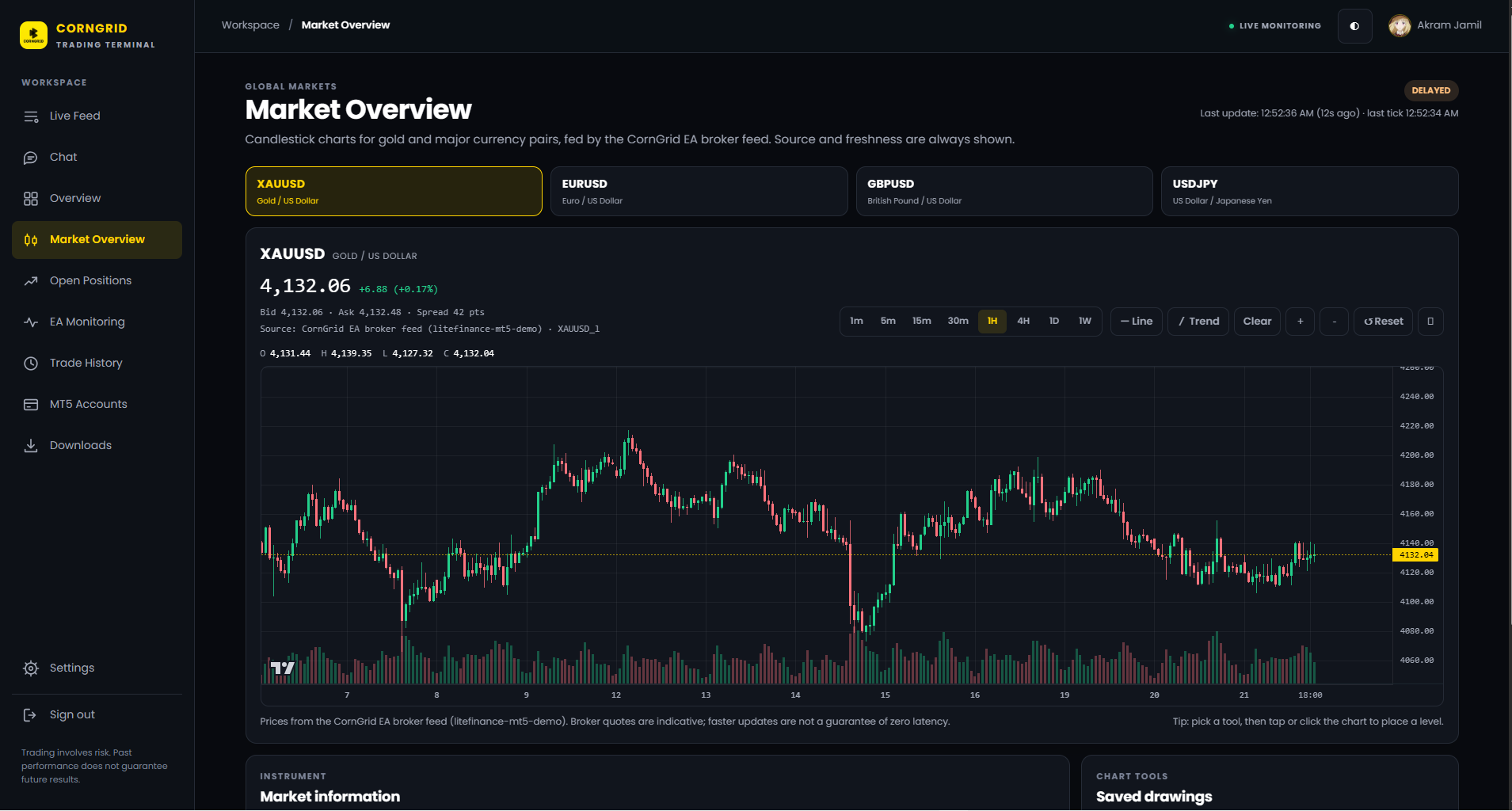
CornGrid Trading Terminal Portal — market overview with live candlestick charts for gold and major currencies

Market overview with live charts

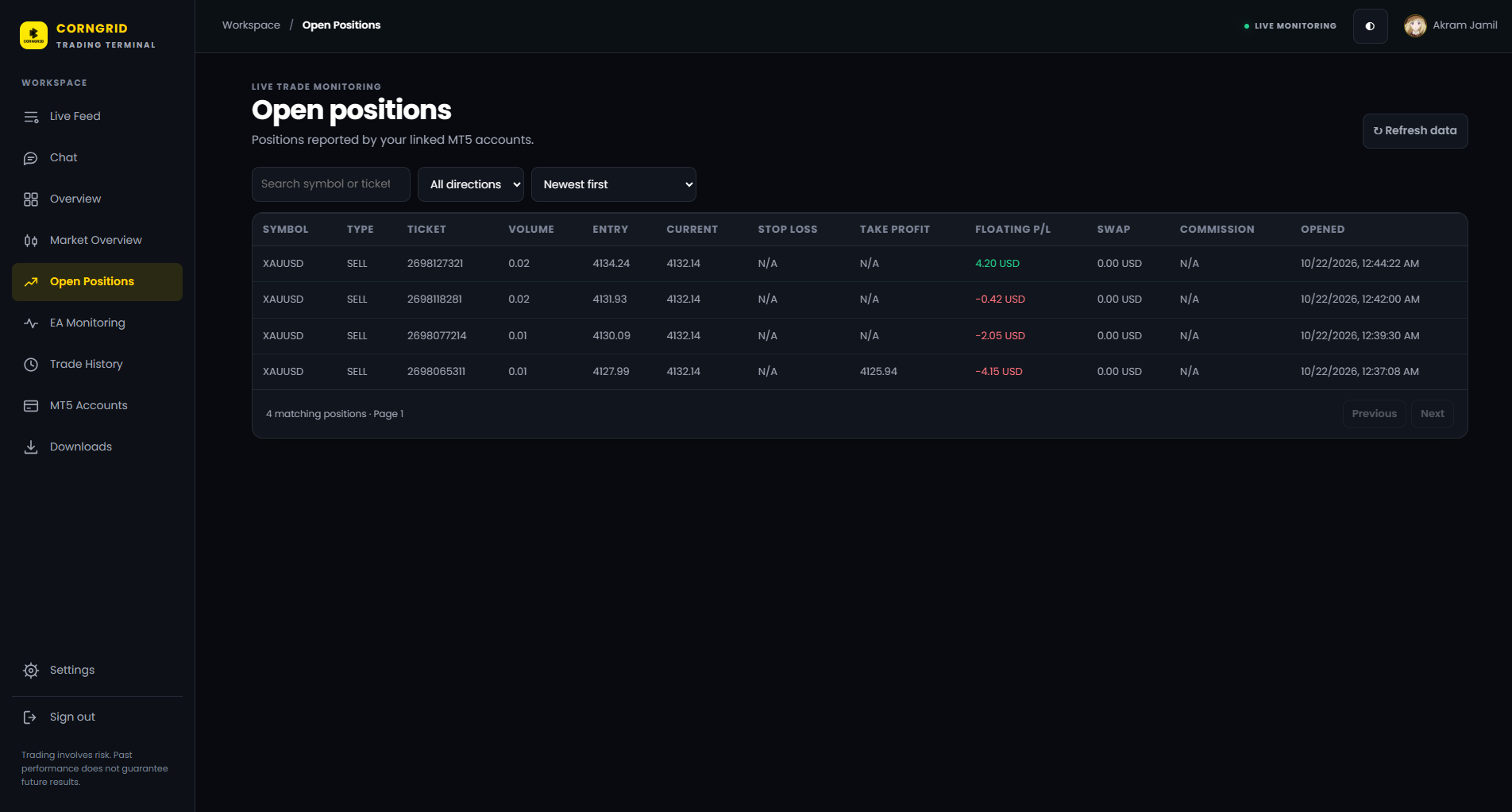
CornGrid Trading Terminal Portal — open positions with live floating profit and loss

Open positions with live P/L

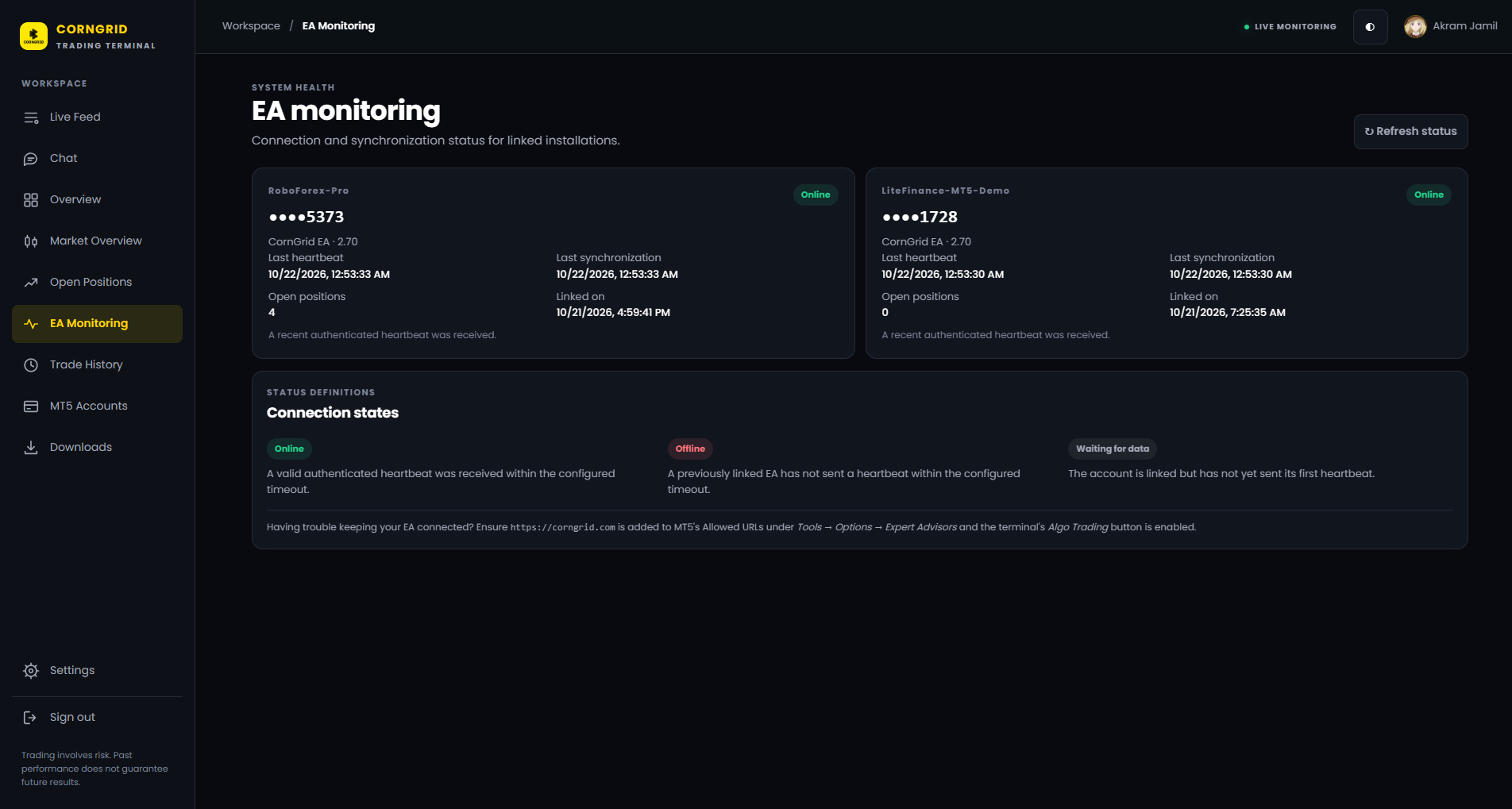
CornGrid Trading Terminal Portal — EA monitoring showing heartbeat and synchronization status

EA monitoring & system health

CornGrid Trading Terminal Portal — MT5 accounts, pairing codes and linked CornGrid EA installations

MT5 accounts & pairing codes

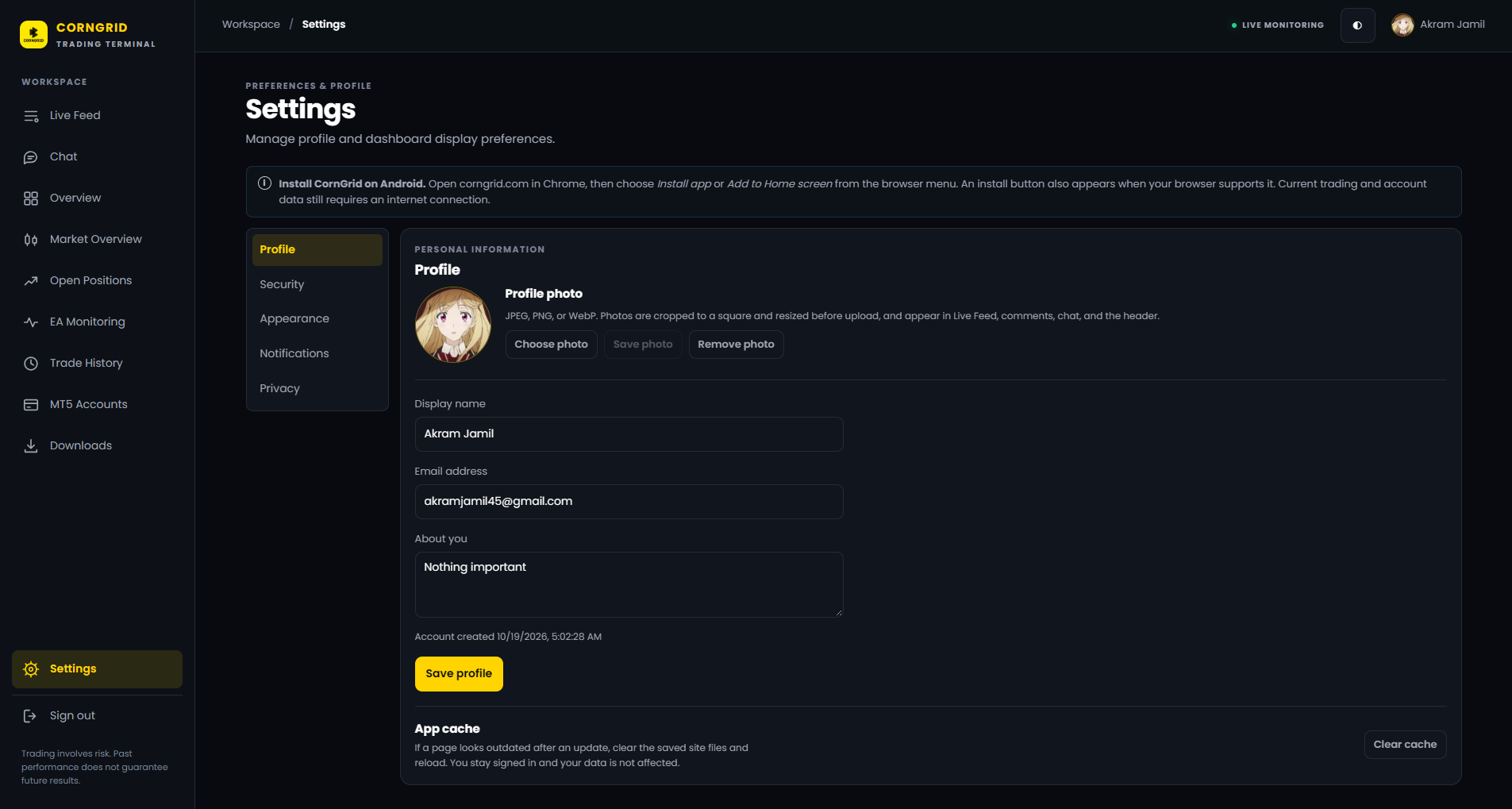
CornGrid Trading Terminal Portal — settings and profile with display preferences and the Android install helper

Settings, profile & preferences

CornGrid Android App — Mobile

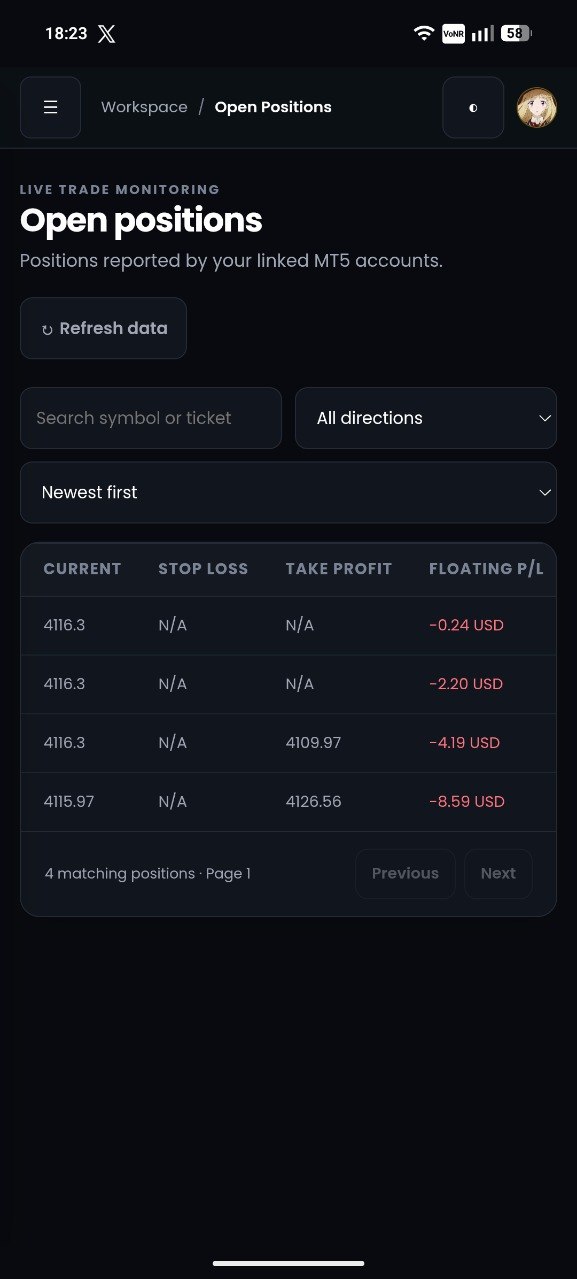
CornGrid Android App — open positions on a smartphone

Open positions

CornGrid Android App — trade history with net profit per deal on a smartphone

Trade history

CornGrid Android App — Terminal Chat with CornGrid support on a smartphone

Terminal chat

Getting Started

Connected in Four Steps

From a fresh account to a live terminal in minutes. The web portal needs no installation — only the Android app is downloaded separately.

  1. 01

    Create your CornGrid account

    Register once to unlock the Trading Terminal Portal, the Android app and the CornGrid community feed. It is the same account on every device.

  2. 02

    Generate a pairing code

    Open MT5 Accounts in the terminal and generate a one-time pairing code. Codes expire after 10 minutes and can only be used once.

  3. 03

    Link your CornGrid EA

    Paste the code into the InpDashboardPairingCode parameter of CornGrid EA in MetaTrader 5, then allow WebRequest for https://corngrid.com under Tools → Options → Expert Advisors.

  4. 04

    Trade from any device

    Your account turns online in the terminal after the first heartbeat. Install the Android app to follow the same dashboard, positions and feed in your pocket.

Get Started

Ready to Connect with CornGrid?

Create your account, connect your trading environment, and explore the new CornGrid terminal and Android experience.

CornGrid Support Desk Institutional Client Support
Telegram Helpdesk@CornGridSupportbot
Trader NetworkJoin Official Community
Direct Client LineChat via WhatsApp